



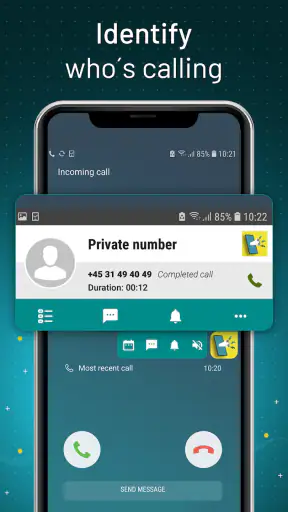
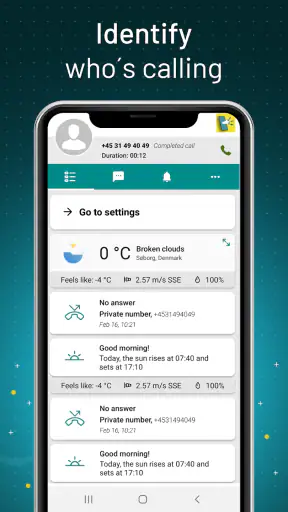
I tested Caller Name Announcer as a practical communication utility rather than a feature-heavy phone replacement. Its purpose is narrow but useful: it speaks the caller’s name aloud so I can decide whether to reach for my phone. That makes the app most interesting in situations where looking at the screen is inconvenient, such as driving, cooking, carrying shopping bags, or wearing gloves. It is free, rated for Everyone, and developed by Appsbuyout, so the barrier to trying it is low.
My overall impression is that this is the kind of app that either quietly earns a place in your routine or gets removed after a few calls. It does not try to manage conversations, replace the dialer, or become a full communication hub. Instead, it adds an audible layer to incoming calls. That focused approach is its main strength, but it also means the experience depends heavily on how well the spoken announcement fits your surroundings, contacts, and privacy preferences.
How Caller Name Announcer fits into everyday phone use
The app belongs to the communication category, but I would think of it as an accessibility and convenience companion for the phone app already installed on your device. The store summary describes its central job clearly: hearing who is calling without looking. In practice, that changes the first decision I make when a call arrives. Rather than checking the display, I can listen briefly and decide whether the call deserves immediate attention.
A realistic example is preparing dinner while my hands are wet or covered in ingredients. A normal ringtone tells me that somebody is calling, but it gives me no useful context. A spoken caller name lets me distinguish between a family member, a work contact, and an unfamiliar number before interrupting what I am doing. The benefit is small on paper, yet it removes several unnecessary screen checks during a busy day.
The same idea works for people who have difficulty reading small text, users who keep their phone in a bag, or anyone who often misses calls because the device is out of sight. It can also help when the phone is resting across a room and the ringtone alone is not enough to identify the caller. I would not describe it as essential for everybody, but for the right routine it solves a very specific annoyance cleanly.
There is also a trade-off that becomes obvious quickly: a spoken name is more informative than a ringtone, but it is less private. If the phone is on a desk in a shared office, a bus, or a room with other people, announcing a contact can reveal something I would rather keep to myself. That is why I see the app as most suitable for controlled environments or users who are comfortable with audible caller information.
What the current release tells me about its place in the category
The current version is 2.14.0.1444, and the app has been available since August 28, 2017. Its longevity and broad adoption suggest that the basic idea has remained relevant even as Android phone software has changed. It has passed one million installs and holds a 4.4 average from around fourteen thousand ratings, with roughly two thousand written reviews. Those figures make it easier to treat the app as an established utility rather than an untested experiment, although popularity alone does not guarantee that it will behave identically on every phone.
Compared with the usual alternatives, the first option is simply using the built-in phone app and relying on the ringtone or vibration. That approach is quieter and usually more private, but it offers no spoken identification. Some phones also provide their own caller-announcement setting or accessibility tools. When that option is already present and works well, I would normally prefer the system feature because it is closer to the operating system and may require less setup.
The reason to try this app instead is its single-purpose focus. A general accessibility suite can be valuable for many tasks, but it may feel excessive if all I want is an audible caller name. Likewise, a full caller-identification service may focus on unknown numbers, spam warnings, or searchable databases, while this app’s appeal is the simple act of announcing an incoming caller. Choosing between them depends on whether I want recognition, screening, or only hands-free awareness.
The first setup decision is about where announcements make sense
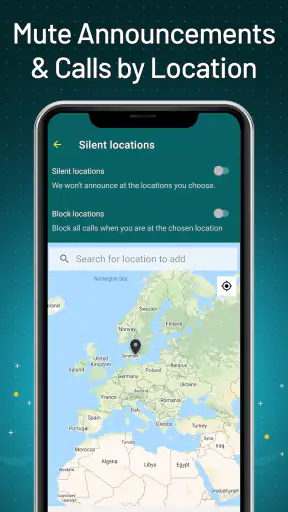
I would not enable the feature and then forget about it. The useful question is not merely whether the app can speak, but when I actually want it to speak. At home, an announcement may be convenient. In a workplace, it may be distracting. In a car, it can reduce the need to handle the phone, but I would still treat safe driving as the priority and avoid interacting with the device while moving.
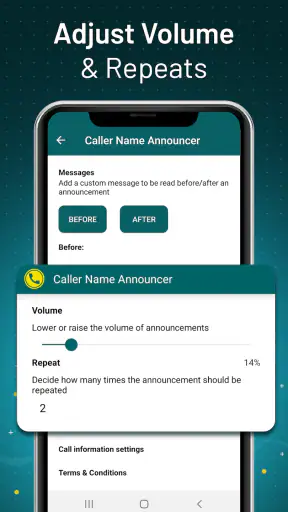
A good personal workflow is to test it during three different conditions: when the phone is nearby, when it is across the room, and when other people are present. That quickly reveals whether the volume, timing, and clarity suit real life. If the announcement is too quiet, it loses its purpose. If it is too loud or too frequent, it becomes an interruption rather than assistance.
I also recommend reviewing contact names before judging the app. A contact saved as an abbreviation, nickname, emoji, or a string of unrelated notes may sound awkward when read aloud. This is not necessarily a failure of the announcer; the app can only work with the identity information available to it. Cleaning up important contact names is a surprisingly effective way to make spoken caller identification feel more natural.
Trust, permissions, and moments when privacy matters
For an app that reacts to incoming calls, trust matters more than visual polish. The feature sits close to personal communication, so I would pay attention to every permission request and every visible setting during installation. I would grant only what is necessary for the behavior I want, and I would revisit those choices if I stopped using the app. Android’s permission controls are the right place to check access rather than assuming that installing a communication utility means it should have unrestricted access to the phone.
I am deliberately cautious about making claims beyond what can be observed in the app and the device settings. A caller-announcement tool necessarily needs a way to detect or respond to incoming-call information, but that does not tell me by itself how any developer handles data. The sensible approach is to inspect the permission prompts, the app’s own explanations, and the privacy controls available on the phone before enabling it in a sensitive environment.
That matters especially for people whose phones contain confidential contacts. A spoken announcement can expose a name to anyone nearby, even when the screen is locked. Consider a medical appointment, a legal matter, a private relationship, or a workplace call. In those situations, the convenience of hearing a name may not justify broadcasting it. I would disable the feature temporarily, lower the phone’s volume, or use the normal silent and vibration controls when privacy is more important than hands-free identification.
Another data-sensitive moment is the arrival of an unknown caller. A name-based announcer may have useful information when a number matches a saved contact, but I would not treat an audible announcement as proof that an unfamiliar caller is trustworthy. The app should not replace judgment about suspicious calls. If a call seems unexpected, I would still avoid sharing personal information and use the phone’s normal blocking or reporting options where appropriate.
Controls are more important than the headline feature
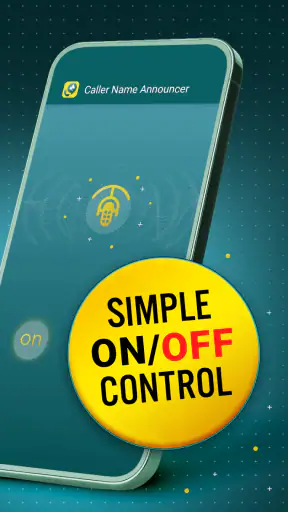
The most valuable controls are the ones that let me decide when the voice is allowed to interrupt. Before relying on the app, I would look for settings related to announcement behavior, audio output, and whether the feature can be turned off quickly. A utility like this becomes much easier to live with when I can silence it before entering a meeting or a quiet public place instead of uninstalling it whenever circumstances change.
I would also test it alongside headphones, Bluetooth audio, and other sound-producing devices if those are part of my routine. Spoken output can be useful through a connected audio system, but it can also be surprising if a private caller name is routed somewhere unexpected. The safe habit is to make a test call in each setup I use regularly, then confirm that the result matches what I intended.
Battery and performance deserve a practical check as well. I would not assume that a small utility has no effect simply because its interface is simple. After installation, I would watch whether the phone behaves normally, whether announcements arrive consistently, and whether the app remains useful after the phone has been idle. If reliability changes after a system update or battery-saving adjustment, the device’s background restrictions may be worth reviewing.
This is one place where the app may not be the best choice for everyone. Users who want a completely hands-off experience with minimal maintenance may prefer a built-in system option. A manufacturer’s own caller announcement feature can sometimes fit more naturally with the phone’s audio and call controls. On the other hand, people whose phones do not offer a convenient equivalent may find this focused app easier to understand than a larger accessibility package.
Who will benefit, and who should skip it
I think the strongest audience includes people who frequently miss calls because their phone is out of reach, users with visual accessibility needs, and anyone whose hands are occupied during work at home. It can also suit people who keep their phone on vibration or at a low volume but still need to distinguish important callers quickly. The app’s value increases when the phone is present but not easy to inspect.
I would be more hesitant to recommend it to someone who spends most of the day in shared or quiet spaces. If every incoming call is announced aloud, the feature may create more social friction than convenience. It is also a weak fit for users who rarely answer calls from saved contacts, since hearing a name does not add much when most calls are unknown or intentionally ignored.
People who expect extensive spam protection, call recording, messaging tools, or a replacement dialer should look elsewhere. This is not a broad phone-management suite. Its usefulness comes from restraint. If the question is simply “Who is calling?” it addresses that question. If the question is “Should I trust this number, block it, record it, or find out why it called?” other phone features or dedicated services are more appropriate.
My practical verdict after weighing convenience against exposure
I like the idea behind Caller Name Announcer because it removes a small but repeated interruption from daily life. When I am busy, the ability to hear a caller’s name can save a screen check and help me decide quickly. The app is free, available to an Everyone audience, and its focused purpose makes it approachable for people who do not want to learn a complicated communication system.
My recommendation comes with a clear condition: treat the spoken announcement as a user-controlled convenience, not something that should run indiscriminately in every setting. I would test it, check the permissions and visible controls, and create a habit of silencing it when privacy or quiet matters. That approach preserves the useful part without turning every incoming call into public information.
For readers deciding whether to install it, my answer is yes if hands-free caller awareness solves a real problem in your routine. Start with short tests, use sensible contact names, and check how it behaves with your usual audio devices. If your phone already has a reliable built-in caller announcement, compare both before committing. If privacy is your highest priority, the ordinary ringtone and vibration may remain the better choice.
My cautious conclusion is that this app earns its place through a narrow, practical benefit rather than a long feature list. I would recommend it to users who genuinely need audible caller identification and are willing to control where and when it speaks. I would skip it for quiet shared environments, highly private routines, or anyone expecting a complete call-screening solution. Used selectively, it is a useful communication aid; used without thought, its main feature can become its biggest drawback.


